Brand marketplace, directory, and map
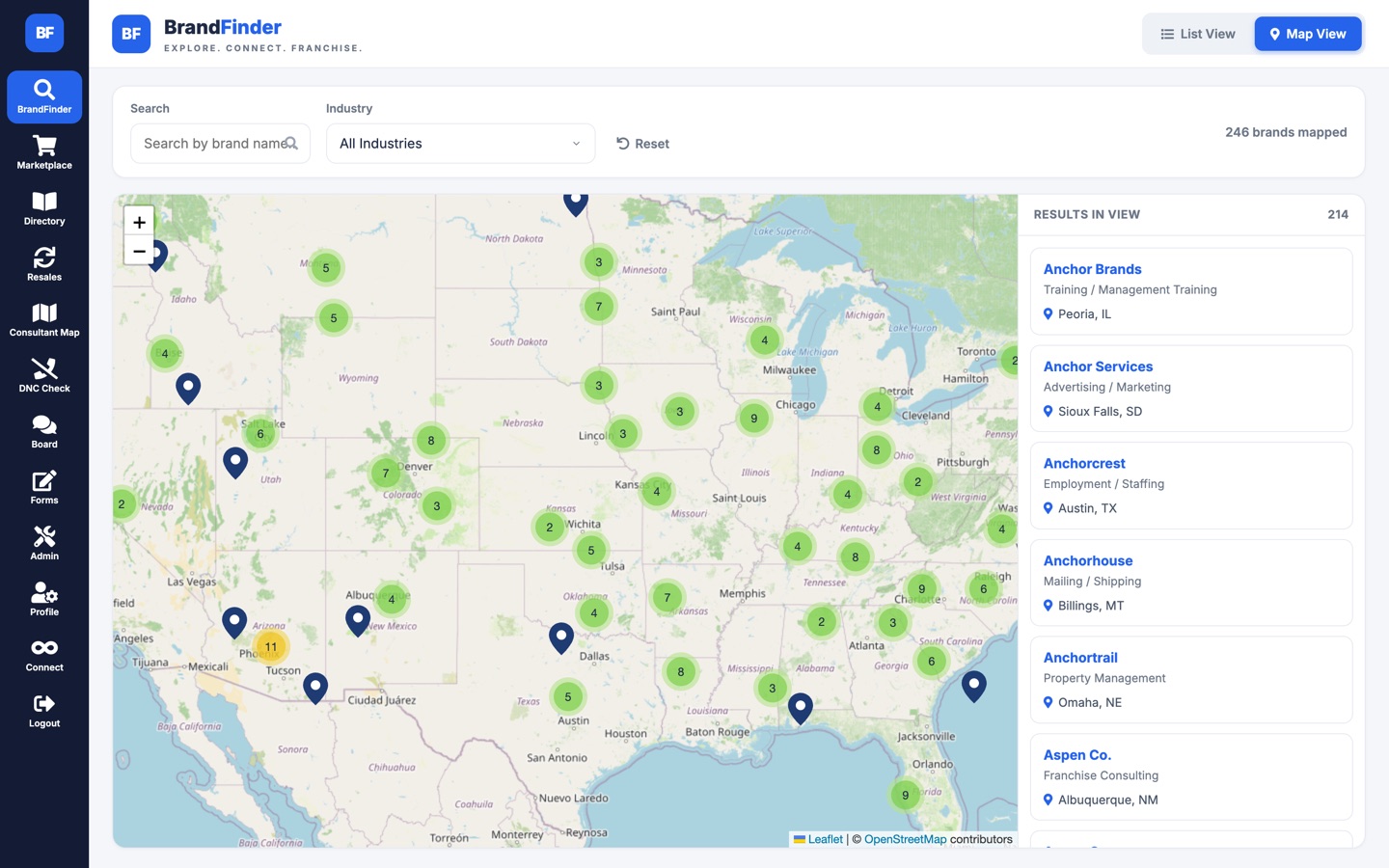
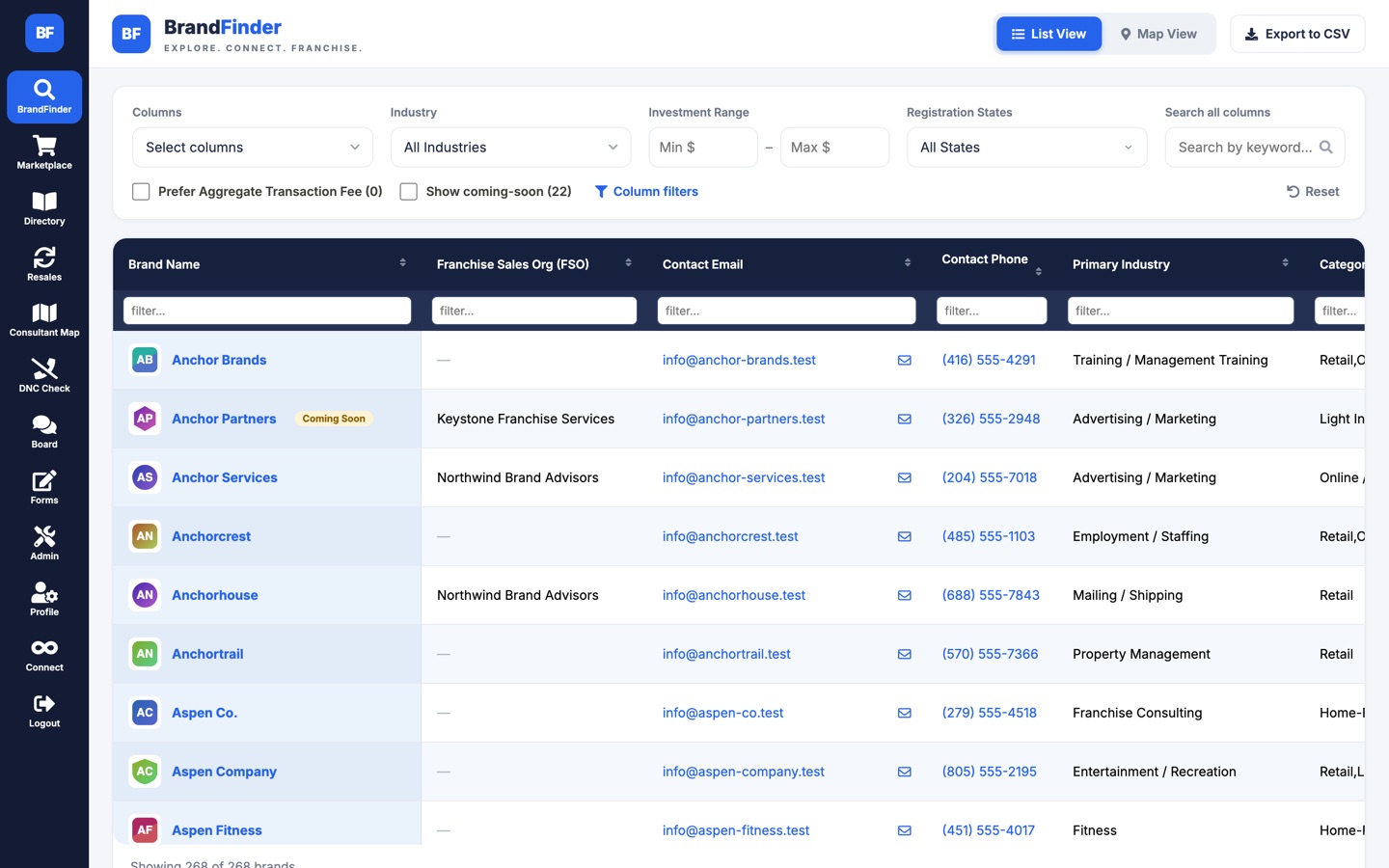
A card-based marketplace for browsing brands by industry, a logo-first directory, and a map of every active brand, clustered and filterable, with a results panel that updates as you pan and zoom.
Project brief
The operating system for a franchise brokerage.
A custom CRM and franchise brand database built for The Franchise Consulting Company. Cedar Web Services designed it, built it, and operated it in production for nine years, where it was used every day by more than 500 franchise consultants, hundreds of brand owners, and the brokerage’s admin team.
Who uses it
A franchise brokerage sits between people who want to buy a business and the brands that sell franchises. FCC BrandFinder serves both sides and the team in the middle.
Search roughly 300 franchise brands against a candidate’s budget, industry, and ownership preferences. Register leads, run territory checks with the brands, browse and list businesses for resale, and coordinate with each other on an internal board.
Maintain their own listing through a self-service portal with no account and no password. Each brand gets a tokenised link. They edit the fields the brokerage has chosen to expose, upload documents, and manage their resale listings.
Decide field by field what each audience sees, add new fields without a deploy, watch the sales pipeline on a CRM dashboard, and audit every email sent and every value changed. Six scheduled jobs kept the data in sync with email, spreadsheets, and the CRM.
The core tool
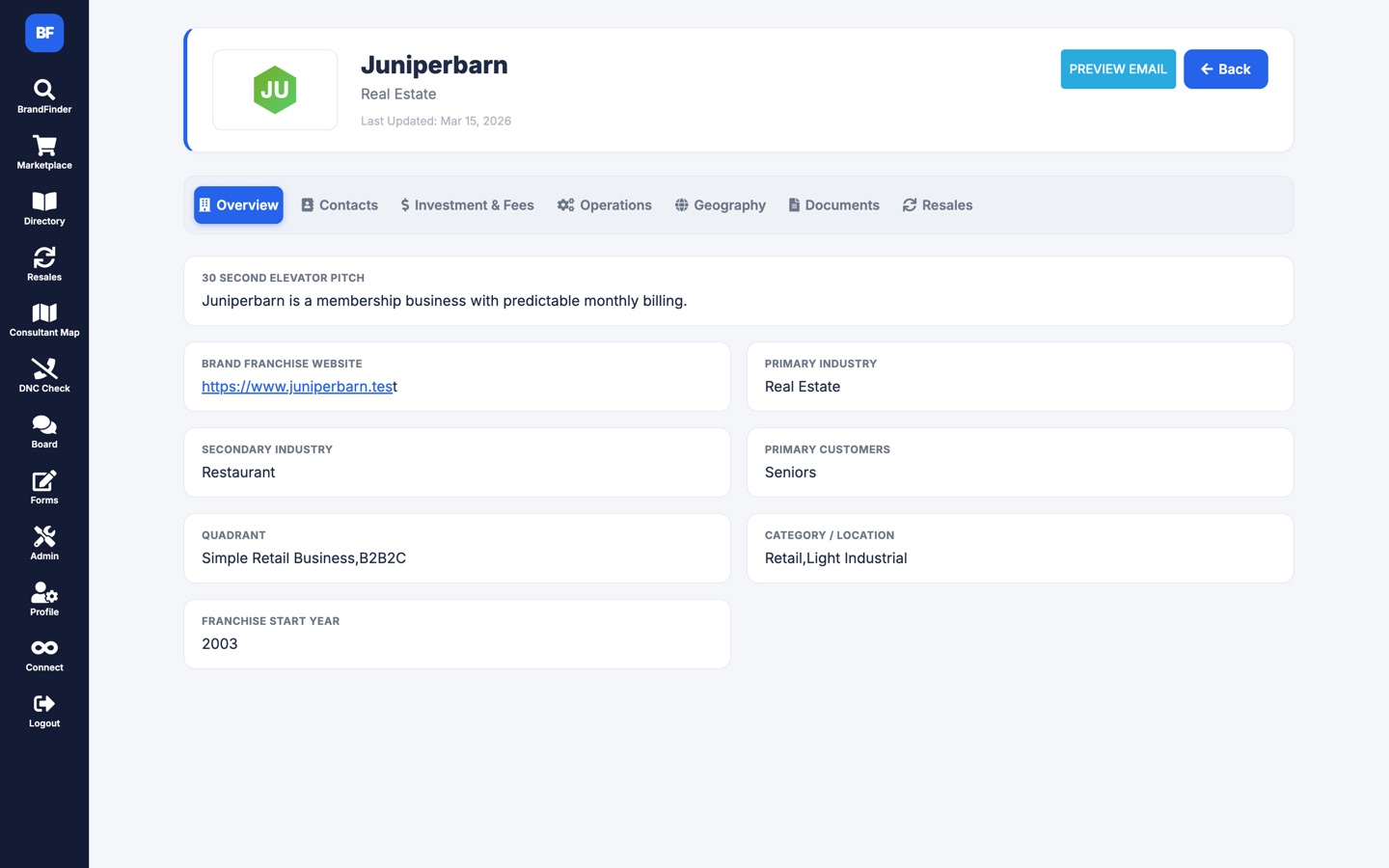
Each brand is held as a 98-column record: investment ranges, franchise fees by unit count, royalty and ad-fund percentages, liquid capital and net worth requirements, unit counts, average unit volume, ramp-up time, veteran and first-responder discounts, visa suitability, international availability, and the contacts for territory checks and lead registration.
The grid searches server-side, filters per column, remembers each consultant’s column selection, and exports to CSV, Excel, or PDF. A brand profile page lays the whole financial picture out in tabs, with documents and contacts alongside.
Territory checks
Before a consultant introduces a candidate to a brand, they have to confirm the territory is available. Brands want that request to come from the consultant, not from a generic platform address. That one requirement shaped the most important piece of automation in the system.
A consultant submits a territory check from a form in the app. The message is composed from HTML templates with merge fields: candidate name, territories requested, consultant contact details, private notes.
The consultant has already authorised the app against their own Google account, so the app holds an OAuth token for them. That token travels with the queued email row. No shared mailbox, no stored passwords.
The email is written to a queue table as QUEUED. Nothing is sent inline, so a slow mail API never blocks the person clicking the button.
A background worker runs on a schedule, claims a batch of queued rows, flips each to PROCESSING, and sends it through the Gmail API as the consultant. It lands in the brand’s inbox from a real person and threads in the consultant’s own Sent folder.
Success marks the row SENT with a timestamp. Failure returns it to QUEUED with the error recorded, so it retries on the next pass. Every send is logged and searchable by brand, consultant, recipient, and date.
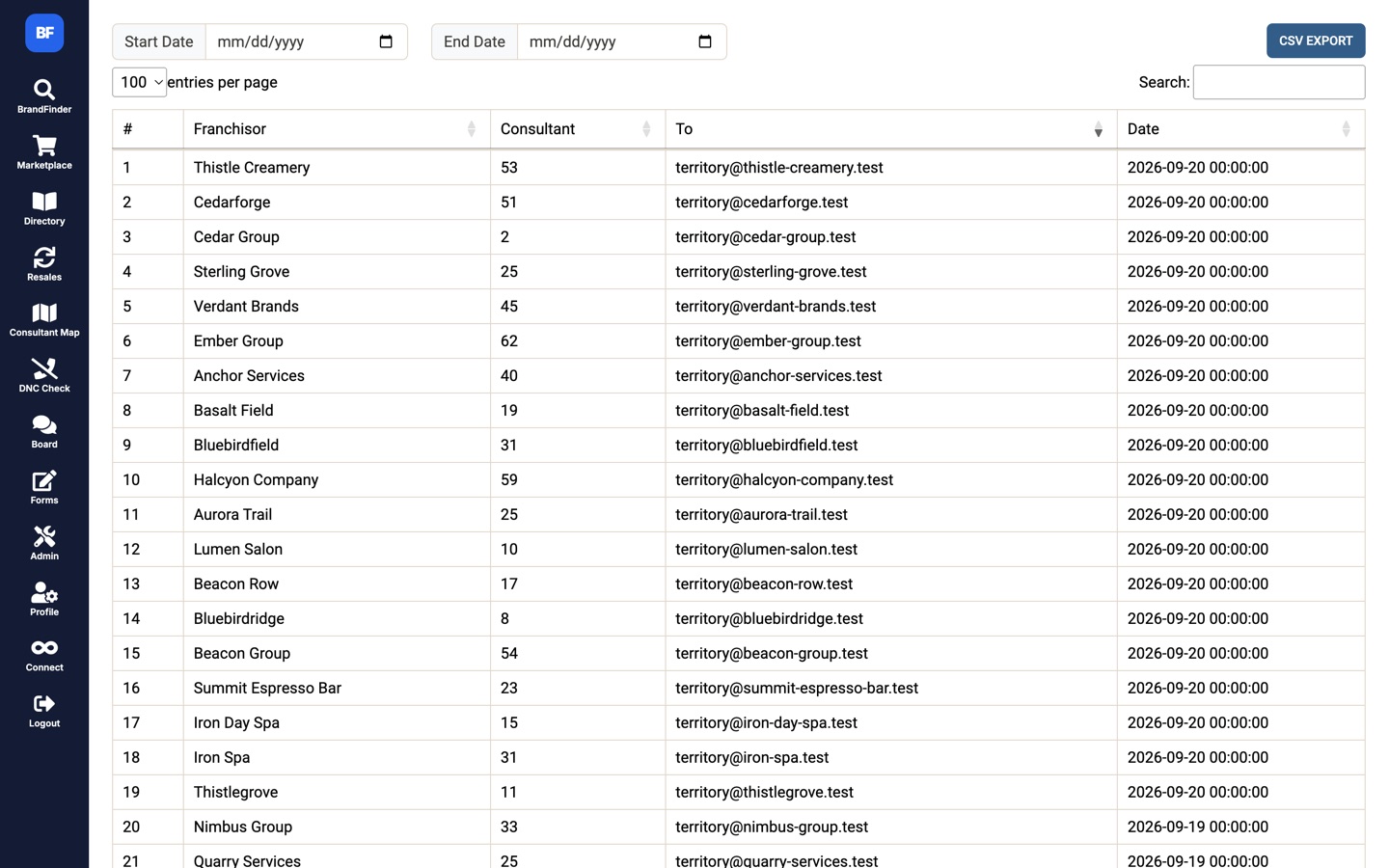
The same queue carries resale checks, lead registrations, and reminder emails. Consent is captured once per consultant, the token rides on the row, and a background worker claims, sends, and retries. No shared mailbox and no "on behalf of" in the From line.
The portal
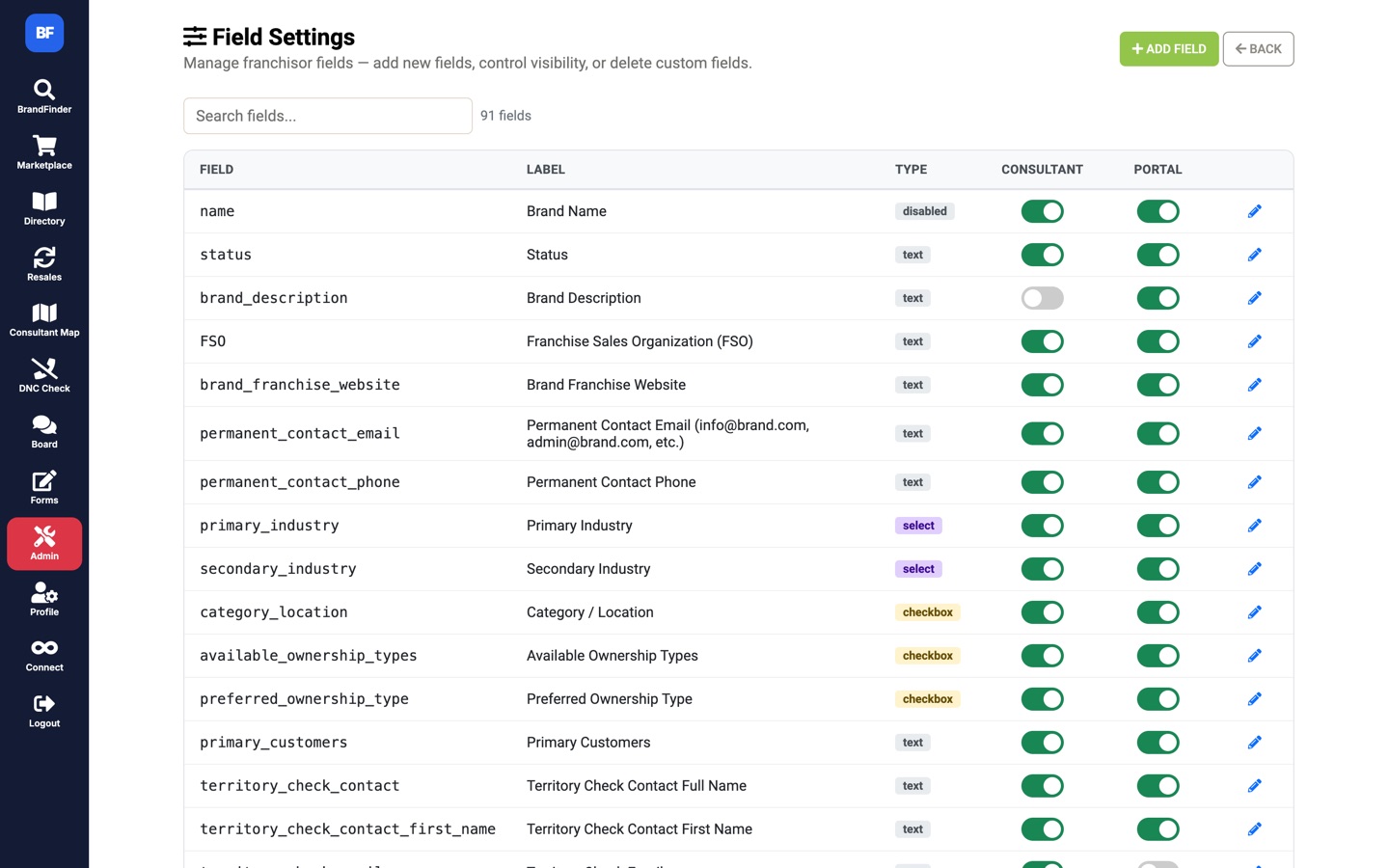
An admin sees all 98 fields on a brand. A consultant sees the subset relevant to placing a candidate. The brand owner, in their portal, sees only what the brokerage has chosen to let them edit. That split is not written into the code. It is two switches per field in a settings table, edited from an admin screen, and every page renders against it at runtime.
Admins can also define entirely new fields with their own type, label, and options. They appear in the grid, the profile, and the portal immediately. This is the feature that kept the brokerage from needing a developer for routine changes, which is the real business value of the design.
Home
Dashboard with profile completeness, announcements, and upcoming events.
My Profile
Edits the full brand record, limited to the fields admins have exposed. Save per field or all at once.
Presentation and Elevator Pitch
The answers that generate the brand’s PDF one-pager and the 30-second pitch consultants use.
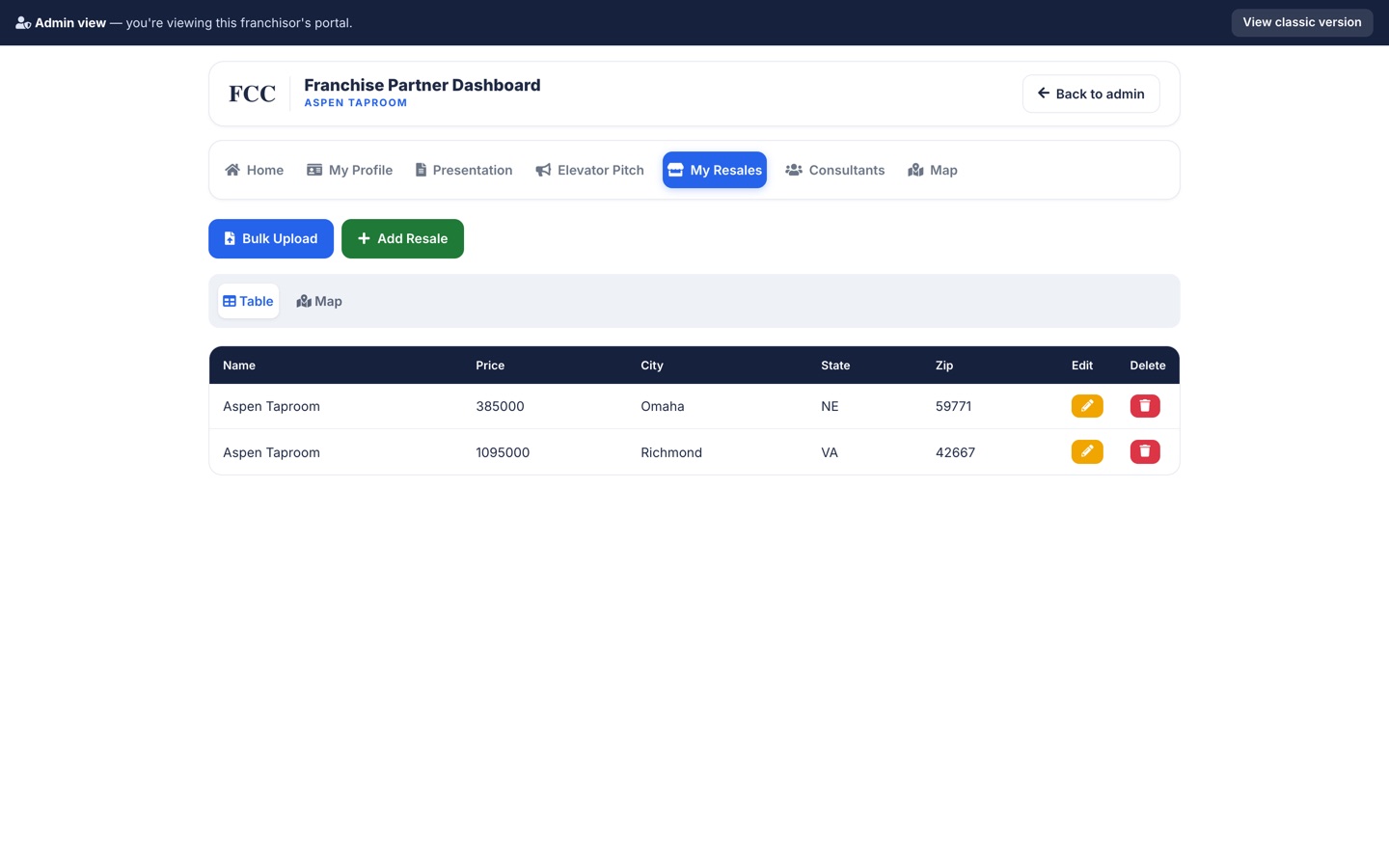
My Resales, Consultants, Map
Add or bulk-upload resale listings, browse the consultant roster, and see where consultants are located.
CRM and automation
FCC BrandFinder is wired two ways into GoHighLevel, the brokerage’s CRM, through a dedicated Python client library covering auth, contacts, opportunities, pipelines, locations, and lead sources. Around it sits a set of background jobs that keep email, spreadsheets, forms, and the CRM in agreement without anyone touching them.
Sends queued territory checks, resale checks, lead registrations, and reminders through each consultant’s own Gmail authorisation, with retries on failure.
Keeps brand data in step with the Google Sheets the brokerage works from.
Reads incoming applicant email over IMAP, extracts PDF résumés, and turns them into structured leads with Google Gemini.
Moves JotForm submissions and completed questionnaires to the matching pipeline stage in GoHighLevel.
Pulls lead-source attribution from GoHighLevel into the local CRM mirror for reporting.
Lead groomer, stale-opportunity marker and emailer, lead-source standardiser, orphan file cleanup, logo downloader. Run on demand.
Event-driven automations run alongside: address geocoding on save, logo discovery, do-not-call checks on lead capture, CDN upload on every document, and change logging on every field edit.
Lead intake
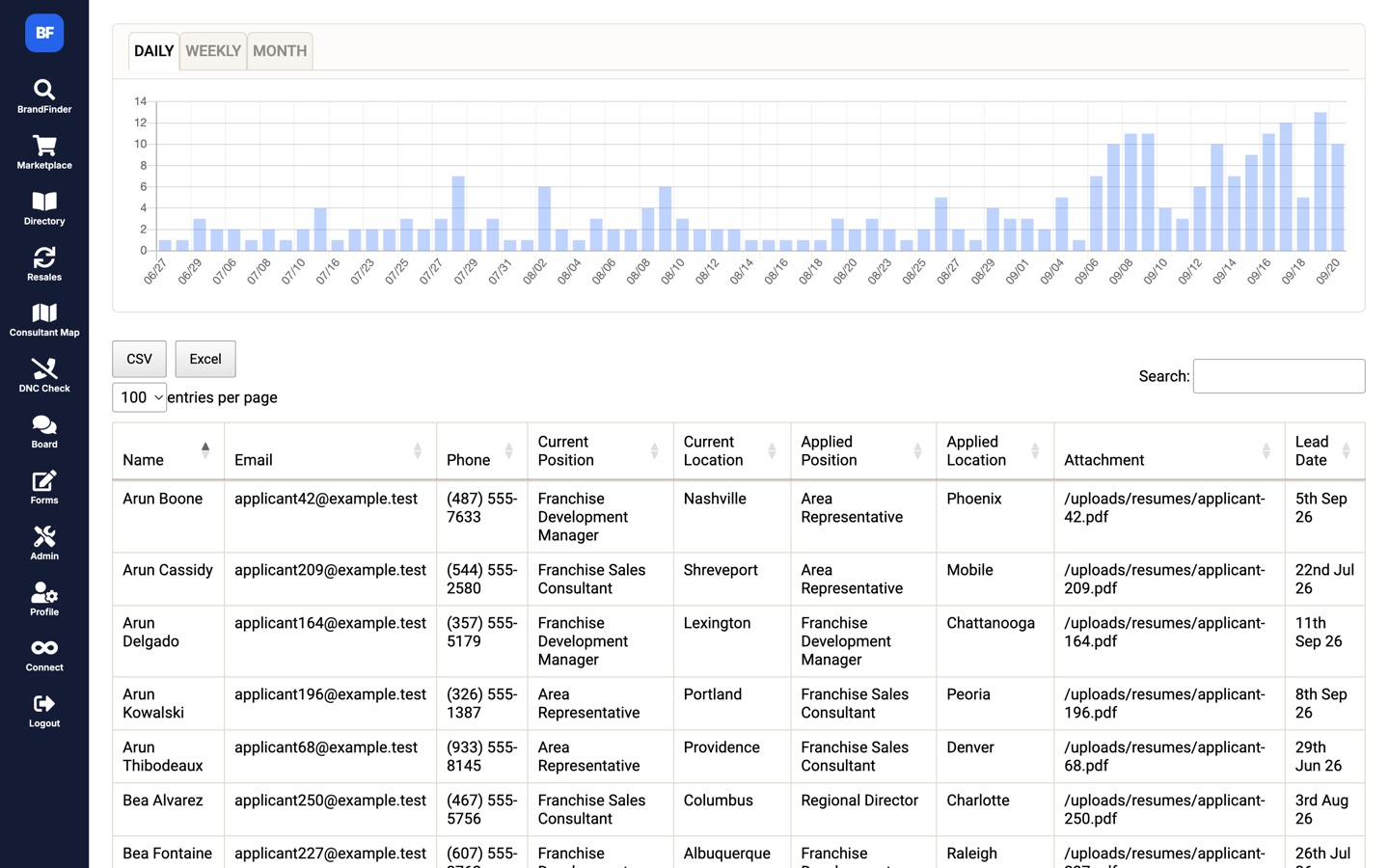
Applicants email résumés to a shared address. On a schedule, a job connects over IMAP, walks the new messages, pulls the PDF attachments, and sends them to Google Gemini to extract name, email, phone, current position and location, and the role applied for. The result is a structured row that the lead log charts and the CRM consumes.
Two details make the difference between a demo and something that ran unattended for years:
A global rate limiter across worker threads. A minimum wall-clock interval between fetches, enforced across every thread, keeps the job inside Gmail’s bandwidth quota.
Resumable, idempotent imports. Before fetching anything, the job classifies each message as complete, partial, or new. Complete ones are skipped, partial ones are retried for just the missing fields. A crash mid-run costs nothing and a re-run never double-imports.
The rest of the platform
A card-based marketplace for browsing brands by industry, a logo-first directory, and a map of every active brand, clustered and filterable, with a results panel that updates as you pan and zoom.
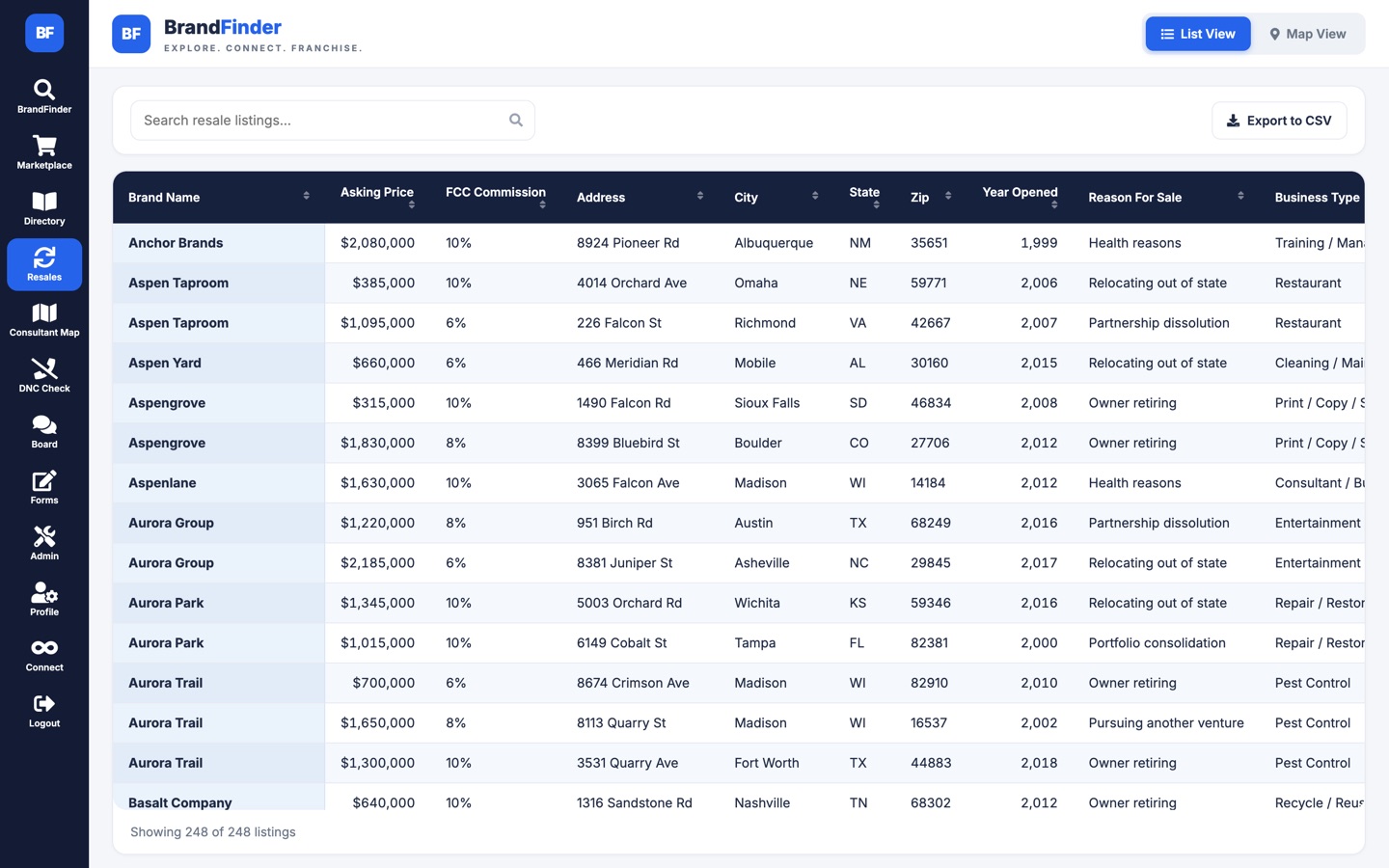
Businesses for sale with asking price, revenue, EBITDA, cash flow, FF&E value, employee count, and reason for sale. Table and map views, per-brand management, bulk CSV upload, and automatic geocoding of every address.
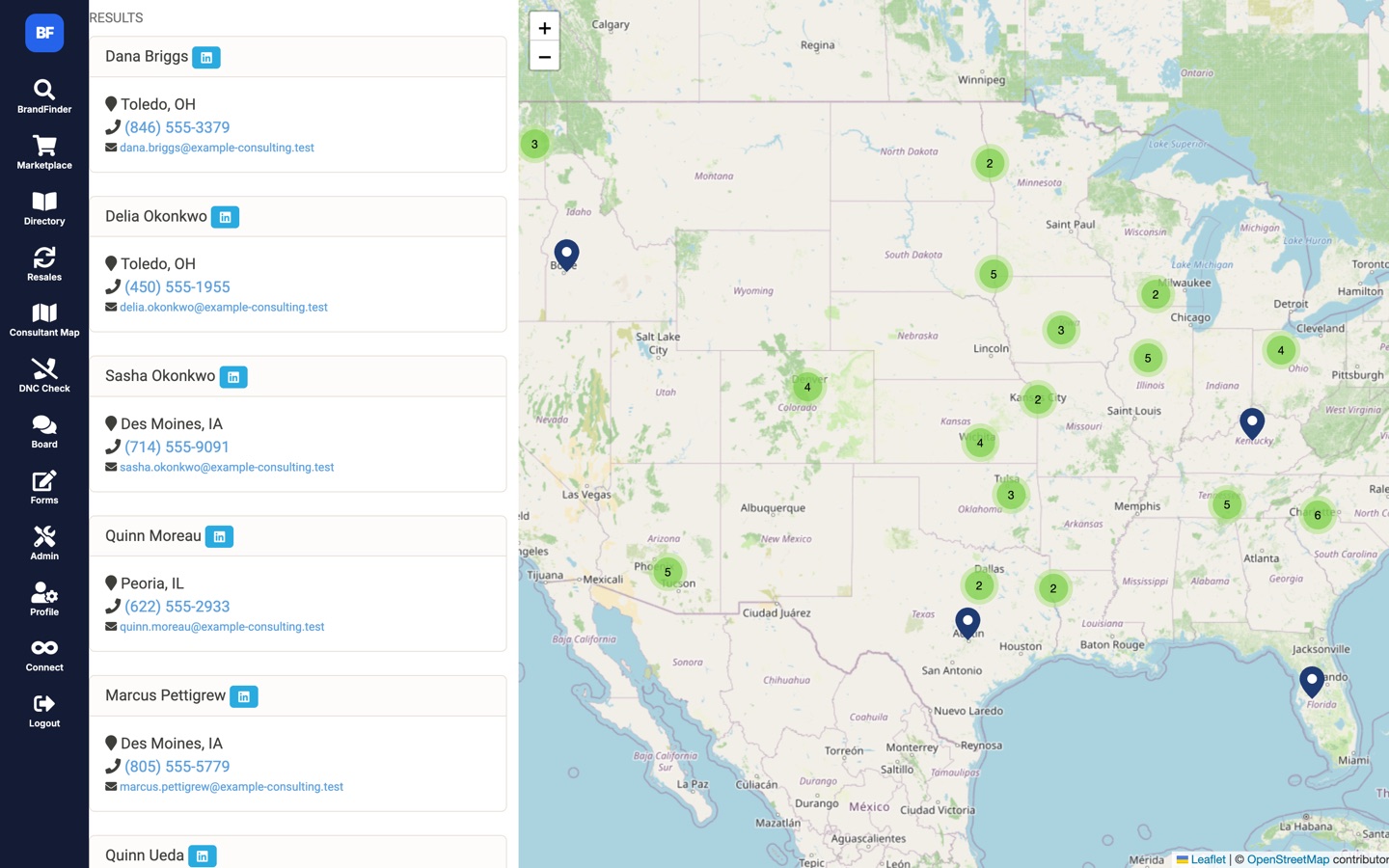
A roster of consultants with bios, territories, photos, and contact details, plus a map for territory coverage. Supports aliases for consultants operating under another consultant’s brand.
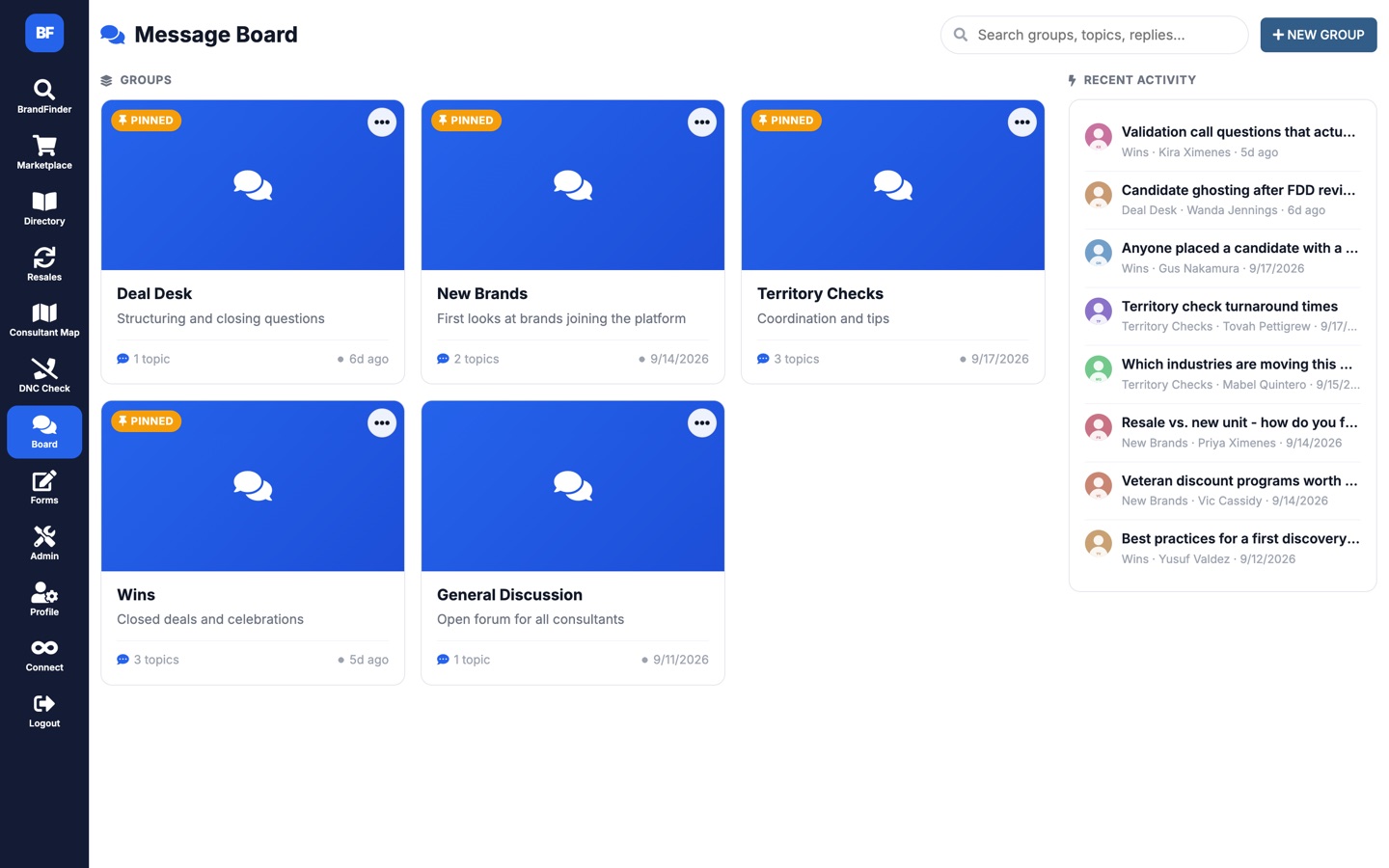
Groups, topics, threaded replies, pinned posts, attachments, and search. Includes a migration that imported years of history from the company’s WordPress intranet.
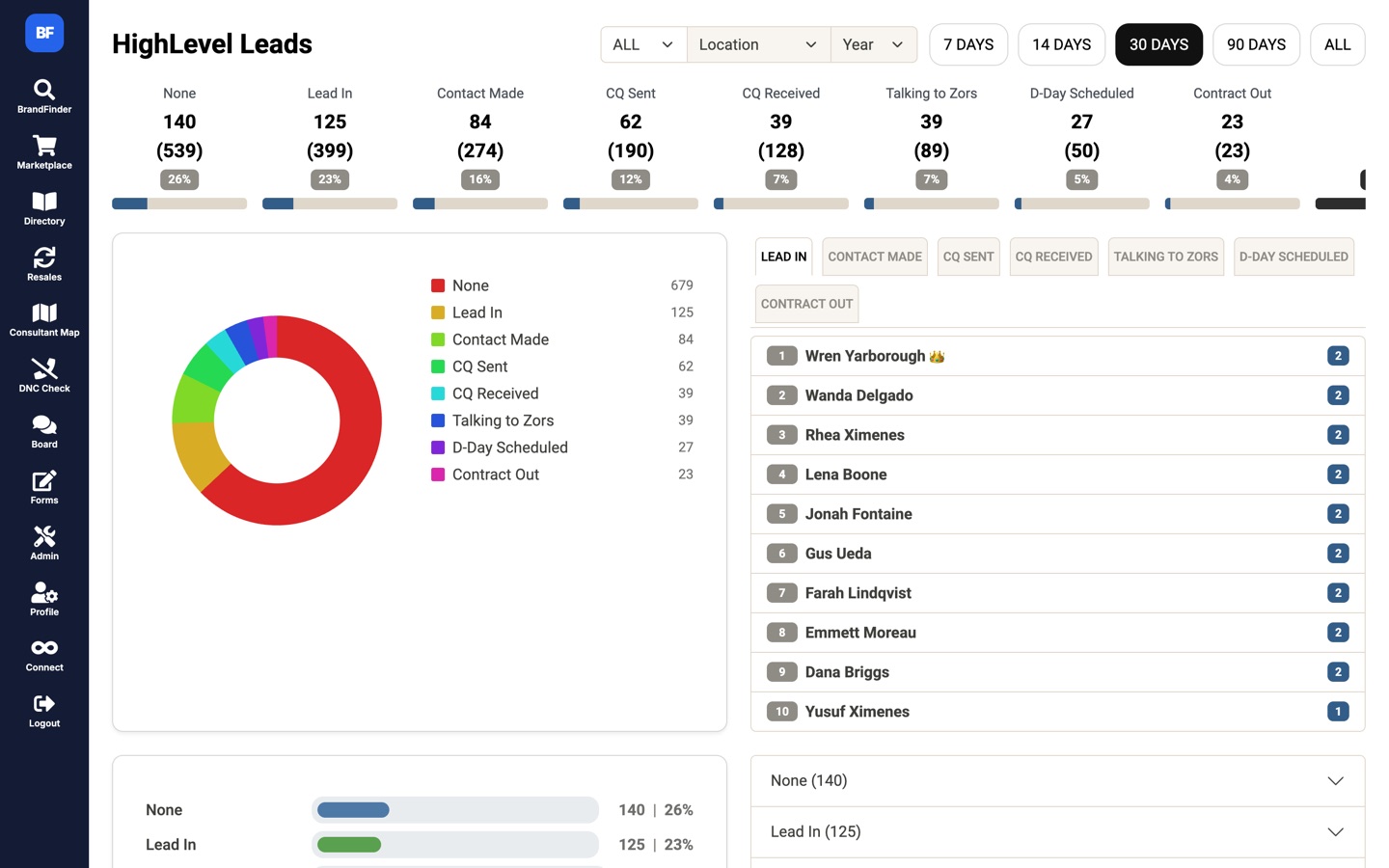
Lead counts by stage from first contact to contract out, with 7, 14, 30, and 90-day windows, filters by location and lead source, stage-conversion bars, and a consultant leaderboard. Backed by a dedicated Python client library for GoHighLevel.
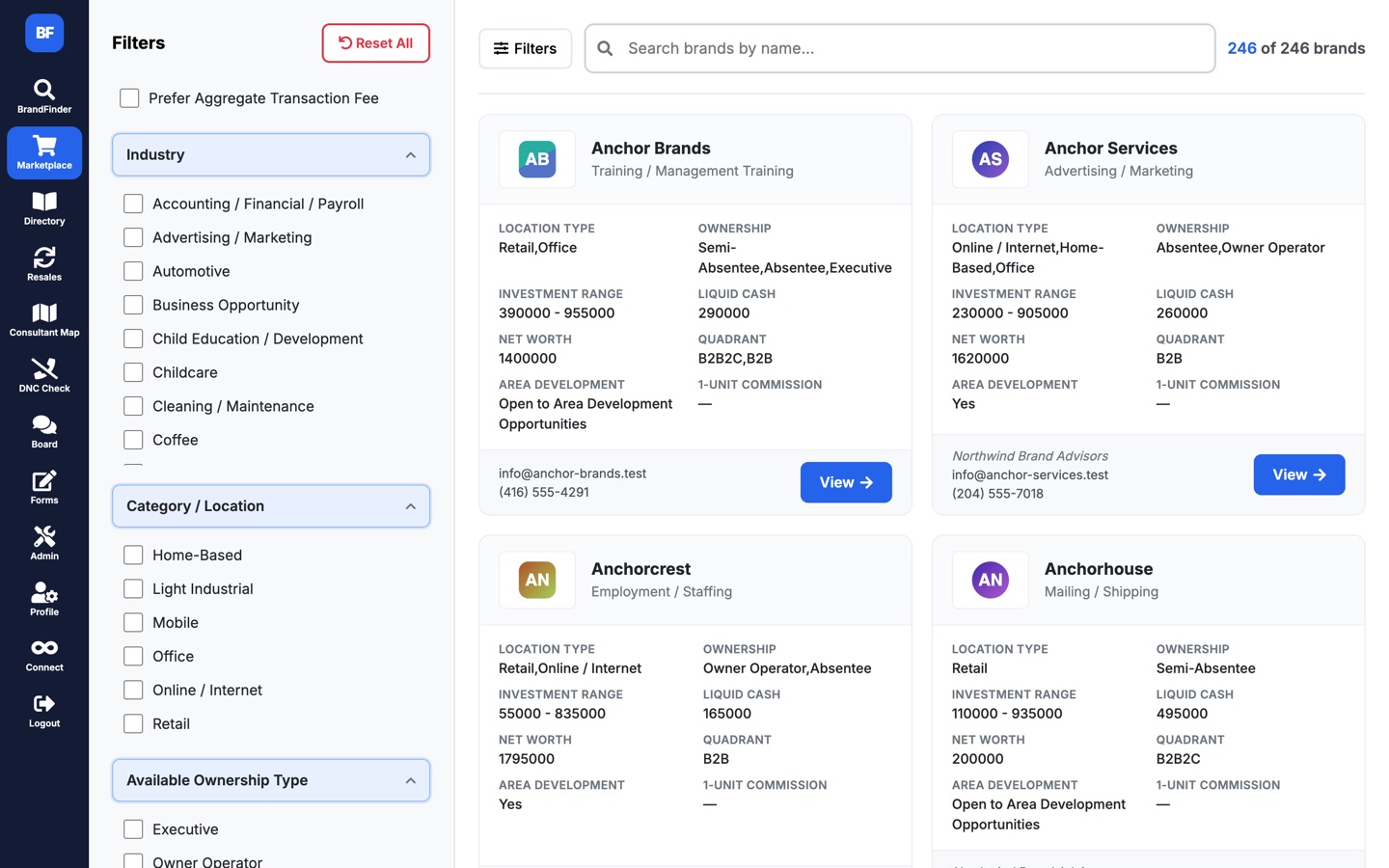
The consultant-facing brand browser: investment range, liquid cash, net worth, ownership model, and area-development availability at a glance, with faceted filters down the side.
Stack and scale
No framework and no build step. Two databases: the main application schema and a CRM mirror. Server-side DataTables processing for the large grids, Chart.js dashboards, file storage on a CDN with local fallback, and mPDF for document generation. Feature flags, field-level permissions, tokenised public access, and audit logging throughout.
It grew feature-first against live users over nine years, and it shows in places. That is the honest shape of software that a business actually runs on. Cedar Web Services has since handed it off and no longer maintains it. The screenshots here come from a demo build of the same code that runs against a generated dataset, so no client data appears anywhere on this page.
We build custom systems that fit the way your team already works, then keep them running for years. Directly for businesses, and as a white-label partner for agencies.